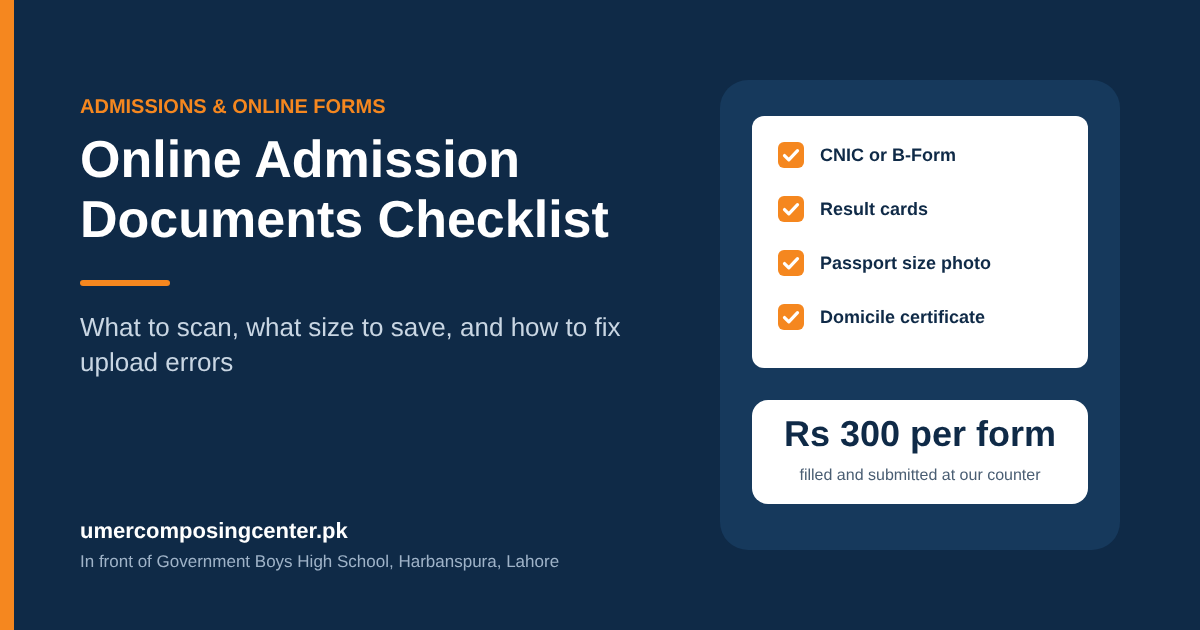
Online Admission Documents Checklist (and How to Fix Upload Errors)
Most admission forms get stuck at the upload page, not at the form. The photo is too heavy, the scan is the wrong type, or one paper is still at home.
The online admission documents required by Lahore universities are nearly the same everywhere. Collect them once, scan them once, and the same folder works for Punjab University, UET, UHS, and the rest.
The full document checklist
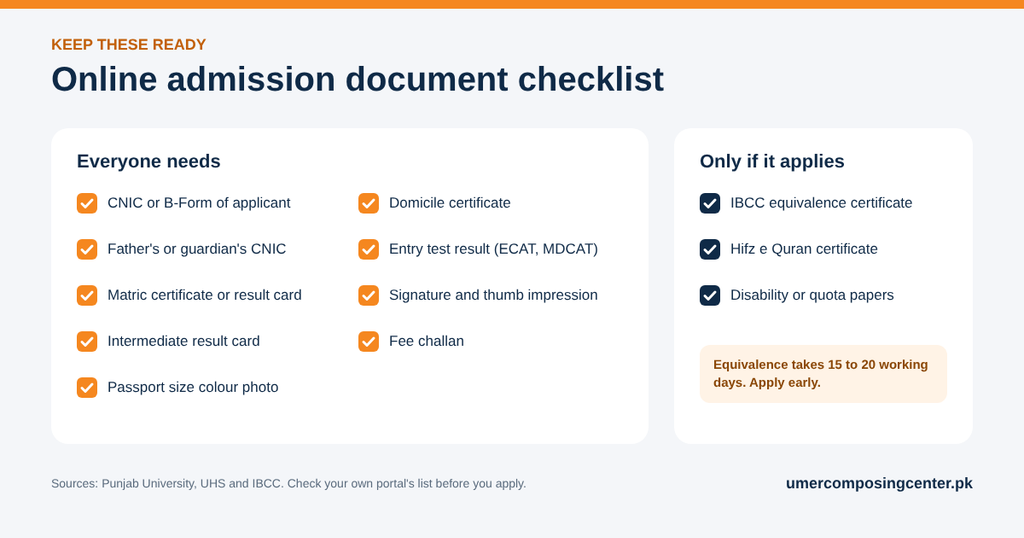
University admission documents in Pakistan follow one pattern. Punjab University asks for transcripts, the candidate’s CNIC or B-Form with a guardian’s CNIC copy, a passport-size photo, the entry test result, and an equivalence certificate where needed. UHS adds domicile, signature, and thumb impression for MBBS and BDS.
Keep these ready before you open the portal:
- CNIC of the applicant, or B-Form if under 18.
- CNIC of father or guardian.
- Matric (SSC) certificate or result card.
- Intermediate (HSSC) result card, plus BS and MS transcripts for MPhil or PhD.
- Passport-size colour photo on a white or sky blue background.
- Domicile certificate.
- Entry test result where the program asks for one, such as ECAT or MDCAT.
- Signature and left thumb impression in blue or black ink.
- Fee challan from the portal.
Add these only if they apply to you:
- IBCC equivalence certificate for O Level, A Level, or a foreign board.
- Hifz-e-Quran certificate.
- Disability certificate or other quota papers.
Apply for equivalence early. IBCC says it takes 15 to 20 working days.
No CNIC yet? Our NADRA counter can guide you on the B-Form for the applicant.
Scanning: resolution and format
When you scan documents for an online form, three settings decide if the portal accepts the file: resolution, colour, and file type.
UHS gives the clearest rule in Lahore. Scan in black and white at 300 DPI, and keep each file under 2 MB. It also wants one labelled PDF for each type of document, with both sides of a double-sided sheet in the same file.
- Resolution: 300 DPI. An A4 page at 300 DPI is 2,480 by 3,508 pixels, enough to read the small print on a result card.
- Colour: black and white for certificates and result cards. Colour for the photo.
- File type: PDF for documents, JPG for the photo and signature.
- File name: plain names such as matric_result.pdf, with no spaces or symbols.
A phone photo of a paper is not a scan. Shadows, tilted edges, and a visible table get forms sent back. UHS wants every word on the page easy to read.
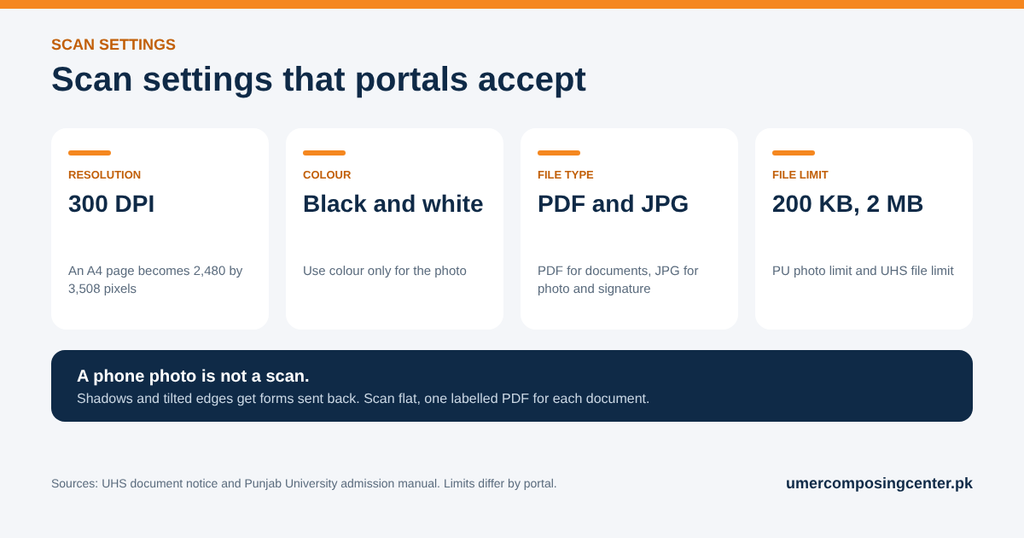
Photo and signature specifications
| Portal | Photo rule | File limit |
|---|---|---|
| Punjab University | Latest photograph | 200 KB |
| UHS | Colour photo on a white or sky blue background | 2 MB |
A passport-size photo is 35 by 45 mm. At 300 DPI, that is 413 by 531 pixels, and a JPG of that size stays far below 200 KB.
Do not squeeze a photo to make it fit. UHS warns against shrinking the width, because it stretches the face. Crop it instead.
For the signature, sign on white paper with a blue or black pen, scan it, and crop close to the ink.
Every portal sets its own limits, so read its instructions page before you resize anything. Need a fresh picture? See the photo specifications on our passport photo page.
File too large: how to reduce PDF size for upload
Rescan before you compress. A file is heavy because of how it was scanned.
- Scan at 300 DPI, not 600. Doubling the DPI makes four times the pixels.
- Pick black and white instead of colour.
- In Word, choose Save As, then PDF, then Minimum size.
- For a photo, open it in Paint, click Resize, and lower the pixels. Punjab University’s manual tells applicants to shrink the picture in Paint.
- On an iPhone, set Camera Formats to Most Compatible so photos save as JPG, not HEIC.
Check the size after each change. Right-click the file and open Properties.
If the text turns fuzzy, you went too far. Go back one step.
Upload errors and what causes them
| Error on screen | Cause | Fix |
|---|---|---|
| File too large | Over the portal limit | Rescan at 300 DPI in black and white |
| Invalid file type | HEIC photo, or a PDF where JPG is wanted | Save again in the format asked |
| Photo rejected | Stretched or dark picture | Crop it, do not squeeze it |
| Document unclear | Phone photo with a shadow | Scan flat on a scanner |
| PDF will not open | Password on the file | Print it to a new PDF |
| Form cannot be edited | Final submit already pressed | Check every tab before you submit |
Punjab University’s manual is strict on the last one. After final submission, you cannot edit your information.
HEC gives a similar warning for its own portal. A mismatch in scanned documents can get an application rejected or sent back. Check that your name is spelled the same way on the B-Form, the matric certificate, and the form.
Getting the whole set prepared in one visit
Our shop is in front of Government Boys High School, Harbanspura. In admission season, students walk in from Shad Bagh, Baghbanpura, and Canal Road with a file of papers and a last date.
Bring the originals and your phone. Some portals send a code (OTP) to the applicant’s own number.
| Job | Rate |
|---|---|
| Scanning to PDF or JPG | Rs 20 to Rs 50 per page |
| Passport size photos | Rs 150 per set |
| Form filling and submission | Rs 300 per form |
| Photostat for the hard copy set | Rs 10 per page |
We scan each paper, size the files to the portal’s limit, fill the form, and generate the fee challan. You pay the fee yourself at the bank.
Can’t come in? Send us the files on WhatsApp at 0322 4817195. Pick Document, not Gallery, so nothing gets compressed.
Details are on our online admission services page. Once classes start, our assignment printing guide covers the format teachers accept.
We are open 10 AM to 10 PM, all seven days.