Bulk Photocopy in Lahore: Rates, Turnaround, and Preparing Your Files
The last thing anyone wants after collecting 400 copies is to find pages 112 to 118 missing, or a set where two sheets are stuck together, and the whole run is short.
Bulk jobs go wrong for boring reasons. A staple left in. Two paper sizes in one stack. Pages that went back in the wrong order after someone photocopied them once already. Sorting that out at the counter takes longer than the copying itself.
Here is what a large run costs at our shop in Harbanspura, how long it takes, and the ten minutes of preparation at your end that saves an hour at ours.
What is the photocopy rate per page in Lahore?
| Job | Rate |
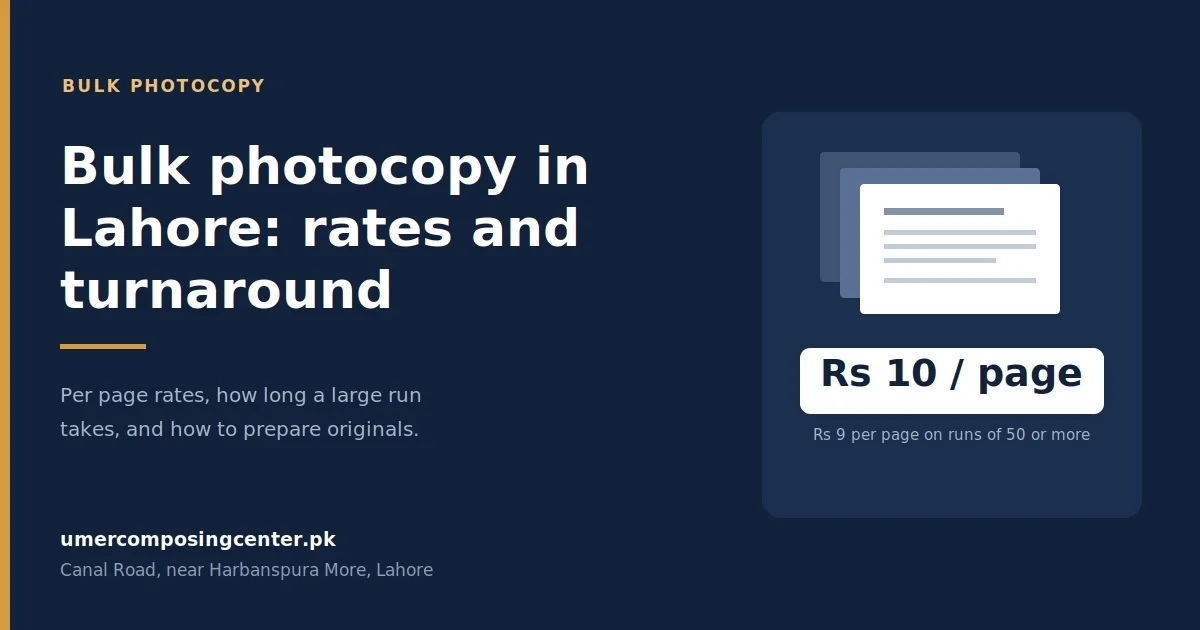
| Photocopy, black and white A4 | Rs 10 per page |
| Photocopy, 50 pages or more | Rs 9 per page |
| Photocopy, colour A4 | Rs 50 per page |
| Printing from a soft copy, black and white A4 | Rs 15 per page |
| Printing from a soft copy, colour A4 | Rs 50 per page |
| Document scanning | Rs 20 to Rs 50 per page |
| Binding (spiral, soft or hard cover) | Rs 60 to Rs 100 per book |
Photocopying is cheaper than printing because there is no file to open, check, or set up. If you already have the original paper in hand, copying it is the cheaper route.
Where the price drops
The rate falls once a job crosses 50 pages, from Rs 10 down to Rs 9 per page. Above that, the price of a big run depends on three things:
- Whether it is one original repeated, or many different pages. Fifty copies of one page run faster than one copy of fifty different pages, because the machine only scans once.
- Whether it is single- or double-sided. Double-sided halves your paper, and paper is the highest cost in a large job.
- Whether you can wait. A job that can sit until the quiet hours between 11 AM and 4 PM pays better than one you need in the next thirty minutes.
For anything over a few hundred pages, send a WhatsApp message to 0322-4817195 with the page count, sides, and when you need it. You will get a flat quote for the whole job rather than a per-page sum, and that is almost always the better number.
Our full price list, including printing from soft copies, sits on the printing rates page.
How long does a large photocopy job take?
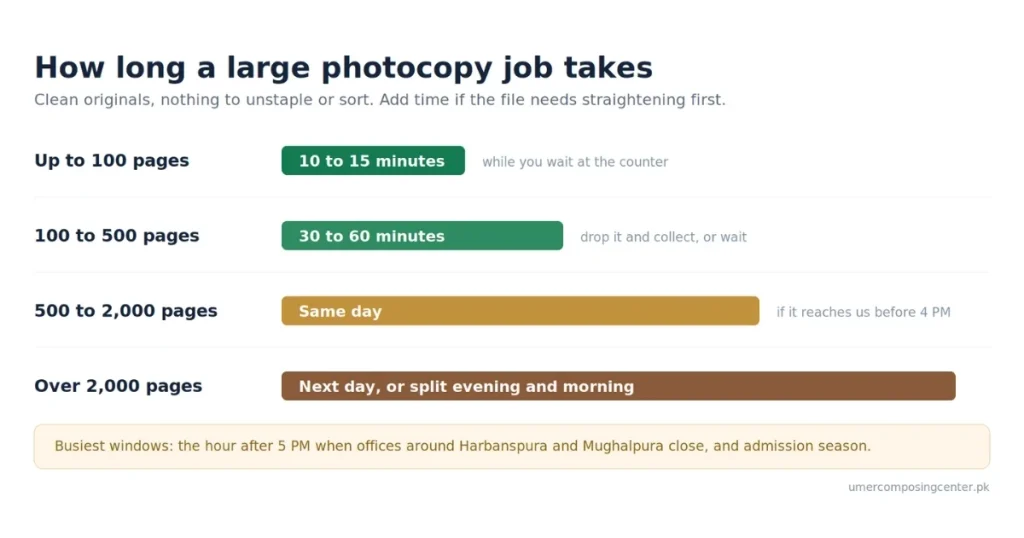
Rough numbers from our own counter, on clean originals with nothing to sort:
| Job size | Time |
| Up to 100 pages | 10 to 15 minutes, while you wait |
| 100 to 500 pages | 30 to 60 minutes |
| 500 to 2,000 pages | Same day if it arrives before about 4 PM |
| Over 2,000 pages | Next day, or split across the same evening and the next morning |
Add time for anything that has to be sorted, unstapled, or straightened first. A 300-page file that arrives loose and in order is quicker than a 150-page file held together with rusted pins.
Two windows are busiest and worth avoiding if you have a choice: the hour after 5 PM when offices around Harbanspura and Mughalpura close, and admission season, when the counter runs solidly from morning.
How to prepare your originals
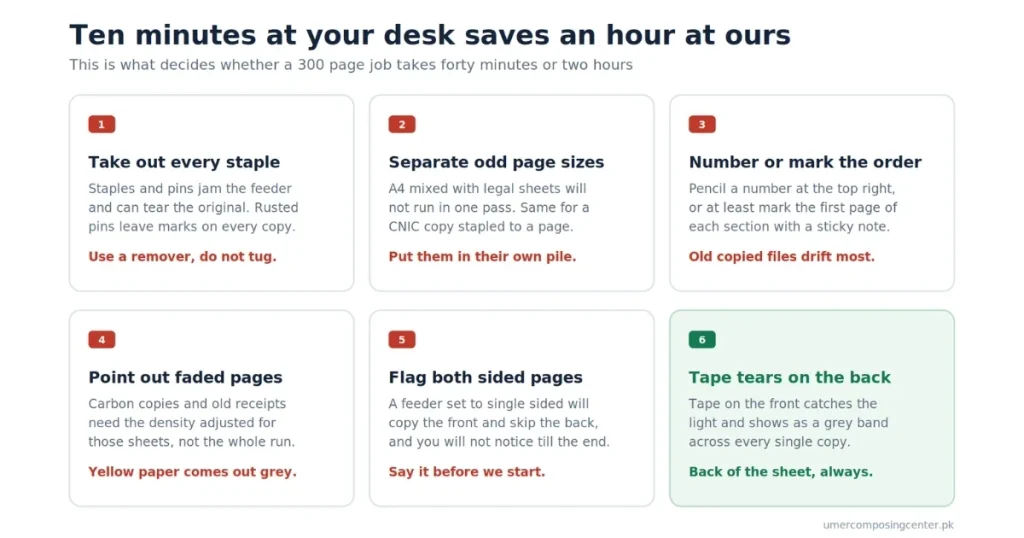
This is the part that decides whether your job takes forty minutes or two hours.
Staples, pins, and clips
Remove everyone before you come. Staples jam the automatic document feeder, and a feeder jam can tear the original. Rusted pins from an old file leave holes that show as black marks on every copy.
Take them out at your desk with a remover, not by tugging. If a page tears, tape the back of the tear, not the front, since tape on the front catches the light and shows as a grey band on the copy.
Mixed page sizes
A file with A4 pages and a few legal-sized sheets mixed in will not run through the feeder in one pass. Neither will one with a small receipt or a CNIC copy stapled to a page.
Separate the odd sizes into their own pile and tell us what they are. We will run them as a second batch and put them back where they belong.
Page order and numbering
If your pages are not numbered, number them lightly in pencil at the top right before you hand them over, or at least number the first page of each section. A file that has been photocopied before is the usual culprit, since it has already been handled and reassembled at least once.
Where a bundle has to stay in a fixed order, say so and mark the first and last page with a sticky note. Anything separated from the stack goes back exactly where it came from.
Faded, coloured, and printed on both sides
Faded originals, carbon copies, and old receipts copy poorly at the default setting. Point them out, and the density gets adjusted for those pages rather than for the whole run.
Pages printed on both sides need to be flagged because a feeder set to single-sided will copy the front and skip the back, and you will not notice until the job is done.
Coloured paper, particularly yellow and light blue, comes out grey. If those pages matter, scan them in colour instead.
Double-sided copying and collation
Double-sided halves your paper for the same number of copied sides. On a 1,000-page job that is 500 sheets instead of 1,000, which is a real difference in cost, in weight, and in how much shelf space the finished set takes.
Two things to decide first. Use 80 gsm paper, because on thinner stock the text shows through from the back. And check whether whoever receives the file will accept it, since some government offices, courts, and university submissions still require single-sided.
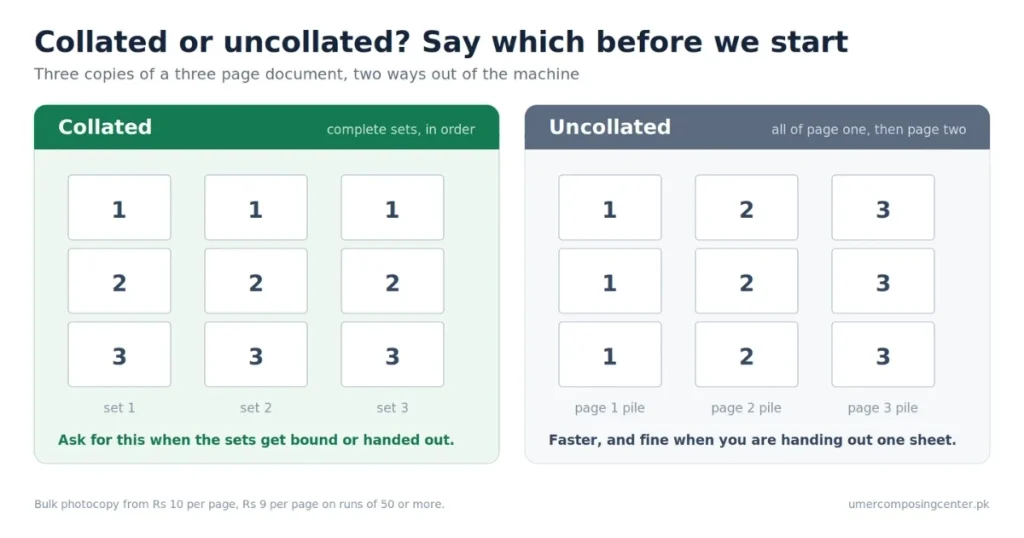
Collation means the copies come out as complete sets in order, 1 to 40, 1 to 40, 1 to 40, rather than 40 copies of page one, then 40 of page two. Say which you want. Uncollated is faster and fine when you are distributing a single handout. Collated is what you need for sets of notes, tender documents, court files, or anything that gets bound afterwards.
If the sets are being bound, tell us at the start. Bound sets are collated, punched, and bound in one pass rather than three, and it works out cheaper. Binding runs Rs 60 to Rs 100 per book.
Monthly accounts for offices and shops
Offices, schools, clinics, and property dealers around In Front of Government Boys High School, Harbanspura, Taj Bagh, Baghbanpura, and Mughalpura get through a few hundred pages a month in ones and twos. Paying cash each time means somebody in your office is chasing loose receipts at month-end.
A monthly account replaces that with one bill. Anyone from your office can drop in or send a file on WhatsApp; the job is logged against your account name, and you settle once a month against an itemised statement showing dates, page counts, and what each job was.
It also means your regular settings are on file. If your firm always wants double-sided on 80 gsm, collated, with a specific binding, that gets applied without anyone re-explaining it.
To set one up, message 0322-4817195 or come by the shop with your business name and the name of whoever will authorise jobs.
Should you send a soft copy instead?
If you have the original file, printing from it beats photocopying in quality every time. A copy of a copy loses sharpness. Small text and fine lines on engineering drawings and legal documents go first.
Printing from a soft copy is Rs 15 per page against Rs 10 for a photocopy. On a short run, the quality is worth the difference. On a 2,000-page job, the gap adds up, and photocopying from a clean original is the sensible call.
Send soft copies as PDFs through the Document option on WhatsApp so nothing shifts on the way. Our guide on sending a file on WhatsApp for printing walks through it.
If you need paper originals turned into files rather than copies, scanning is Rs 20 to Rs 50 per page, depending on the size and the quality you need.
Pickup and delivery around Harbanspura
The shop sits in front of Government Boys High School, Harbanspura, open 10:00 AM to 10:00 PM every day, a short ride from Harbanspura Interchange and the Main Canal Bank campus.
For a bulk job, three options:
- Drop and collect. Leave the originals; get a message when the job is ready. Best for anything above 500 pages.
- Send a rider. Any bike service works. Message us when he sets off, and everything will be counted, bagged, and waiting.
- Send the soft copy. No trip at all if you already have the file, which suits offices sending a monthly circular or a set of forms.
Originals are handed back with the copies, in the order you gave them, counted in front of you.
Message 0322-4817195 with your page count and deadline for a quote on a bulk run.
Frequently asked questions
What is the photocopy rate per page in Lahore?
Rs 10 per page for black and white A4, dropping to Rs 9 per page on runs of 50 pages or more. Colour photocopying is Rs 50 per page. Larger runs are quoted as a flat price for the whole job.
How long does a bulk photocopy job take?
Up to 100 pages take 10 to 15 minutes while you wait. Between 100 and 500 pages take 30 to 60 minutes. Jobs up to 2,000 pages are done the same day if they arrive before about 4 PM.
Is photocopying cheaper than printing?
Yes. Photocopying is Rs 10 per page, against Rs 15 for printing from a soft copy, because there is no file to open, check, and set up. Printing from the original file gives sharper results, so it is worth the difference on short runs.
Do I need to remove staples before bulk photocopying?
Yes. Staples and pins jam the automatic feeder and can tear your original. Remove them with a staple remover before you come, and separate any pages that differ in size from the rest of the stack.
What does collated mean in photocopying?
Collated copies come out as complete sets in page order, so you get 1 to 40, then 1 to 40 again. Uncollated gives you all the copies of page one together, then all of page two. Ask for collation when the sets are being bound or distributed as documents.
Do you offer monthly accounts for offices?
Yes. Offices, schools, and clinics can run a monthly account, with every job logged and one itemised bill at month-end instead of paying cash each visit. Message 0322-4817195 with your business name to set one up.
Can I get bulk photocopying done double-sided?
Yes, and it halves your paper on a large run. Use 80 gsm paper so the text does not show through, and check first whether the office or department receiving the file accepts double-sided.
Do you deliver bulk photocopy orders in Lahore?
Send a bike rider from any service, and the job will be counted and bagged, ready for collection. For files you already have digitally, send them on WhatsApp and skip the trip.